The programme · The appNow on the App Store & Google Play

App

The pitch has no desk.

That is why the app exists: for the moments when you do not have a laptop with you, just one free hand.

For iPhone and Android. Free, included in the team price.

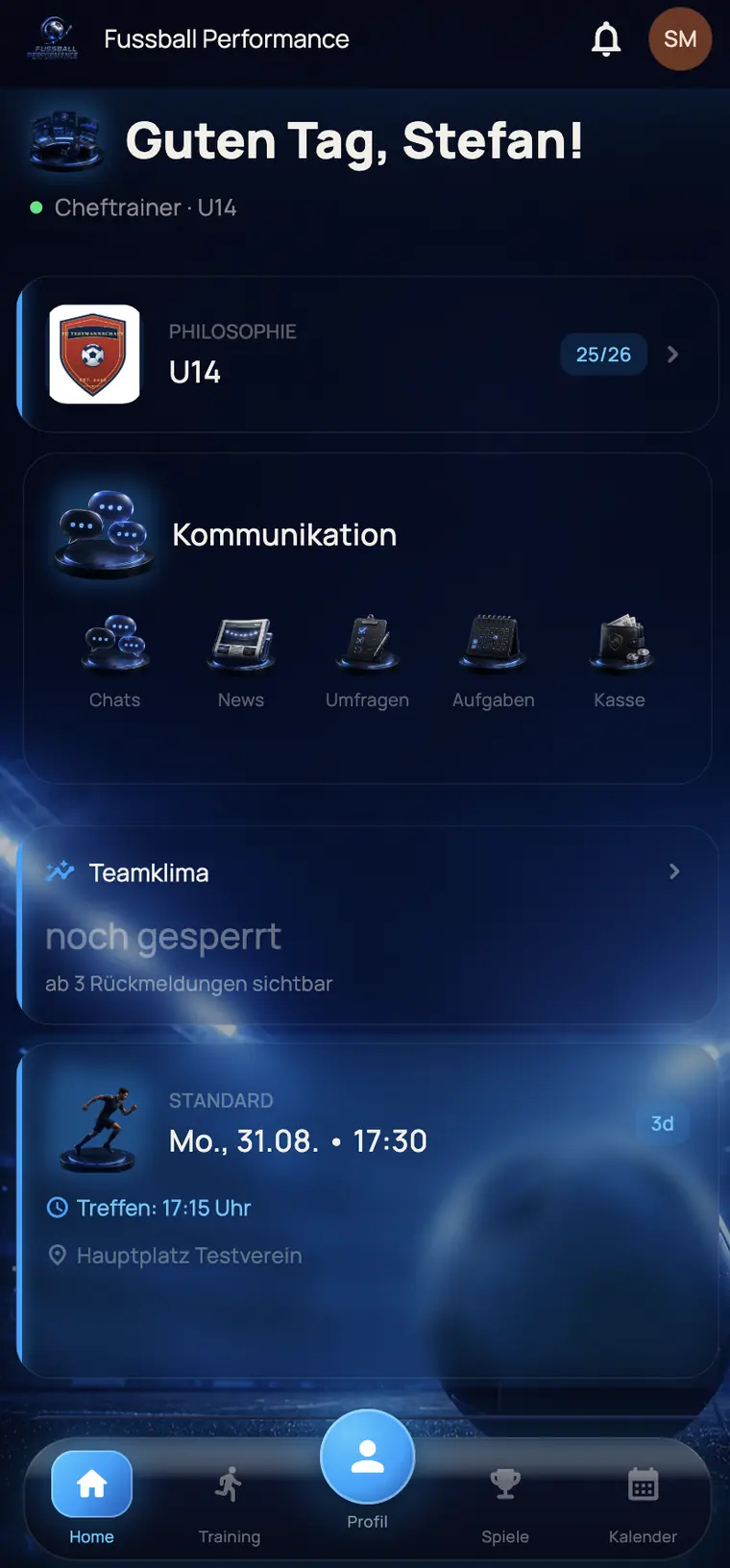
Home screen of the app from the coach's point of view, with team philosophy, communication, team climate and the next training session
Two waysPage 2

Two ways into the same app.

The platform now comes in two forms. Not as an either-or, but as two ways into the same data. What you do where depends on the situation, not on the technology.

In the browser

The desk

Runs without installation on computer, tablet and phone. The big screen is there where space is needed.

  • Plan the season and training cycles
  • Manage the squad, add players, import data
  • Line-up editor with the whole pitch in view
  • Rankings and comparison tables with all columns
  • Club add-on across several teams
  • Subscribe to fixtures in your own calendar
From the store

The touchline

On the phone in your pocket. Short paths for whatever happens between warm-up and full time.

  • Tick off attendance while the team is running
  • See who has said yes and who has declined before you set off
  • Rate while the match is still fresh
  • Chat, news and fixtures for everyone in the team
  • Team kitty, contributions and fines on the move

One login. One set of data. What you change in one appears in the other.
A coach's weekPage 3

One week, six taps.

This is what the app looks like when you are a coach with a job, a family and a boot full of cones on the side.

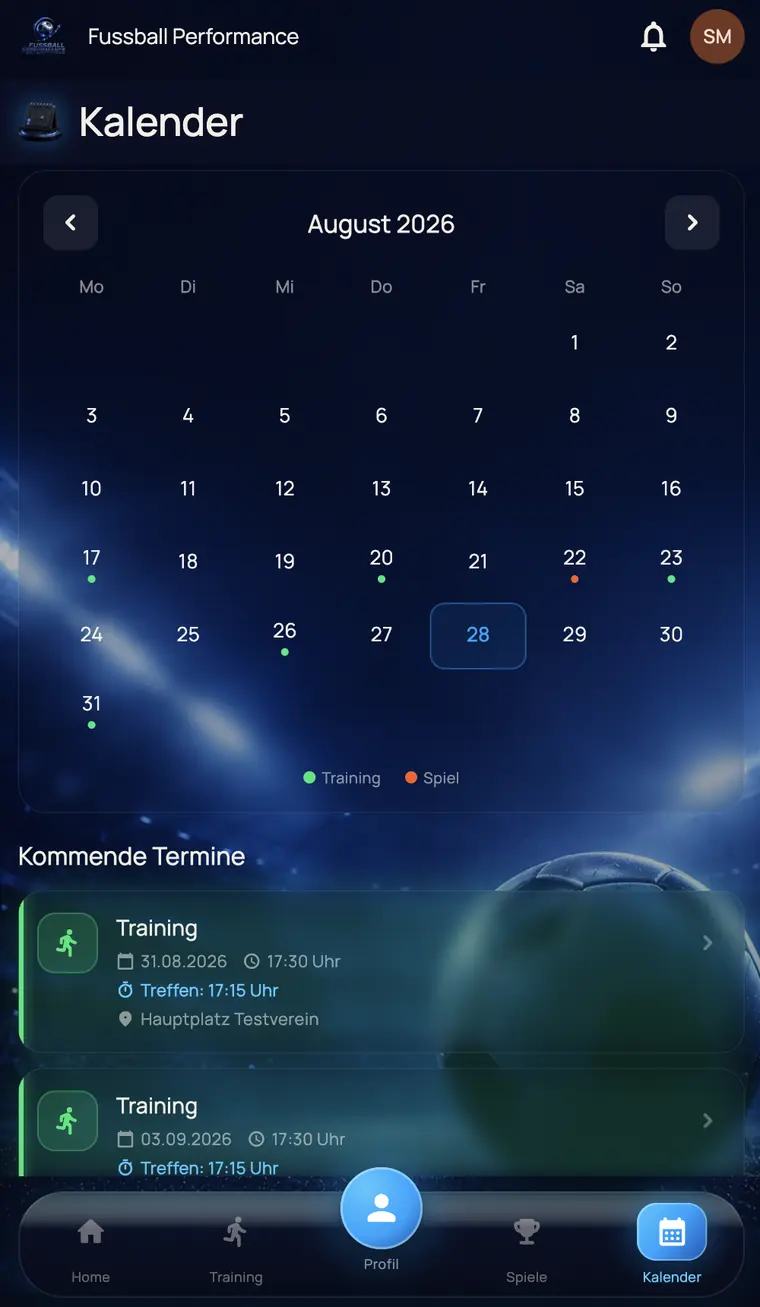
Monthly calendar of the app with coloured dots for training sessions and matches, plus the next fixtures
Thursday, 20:14 · Sofa

A look at the week

A calendar in which training is green and matches are orange. Two seconds, and you know what is coming up.

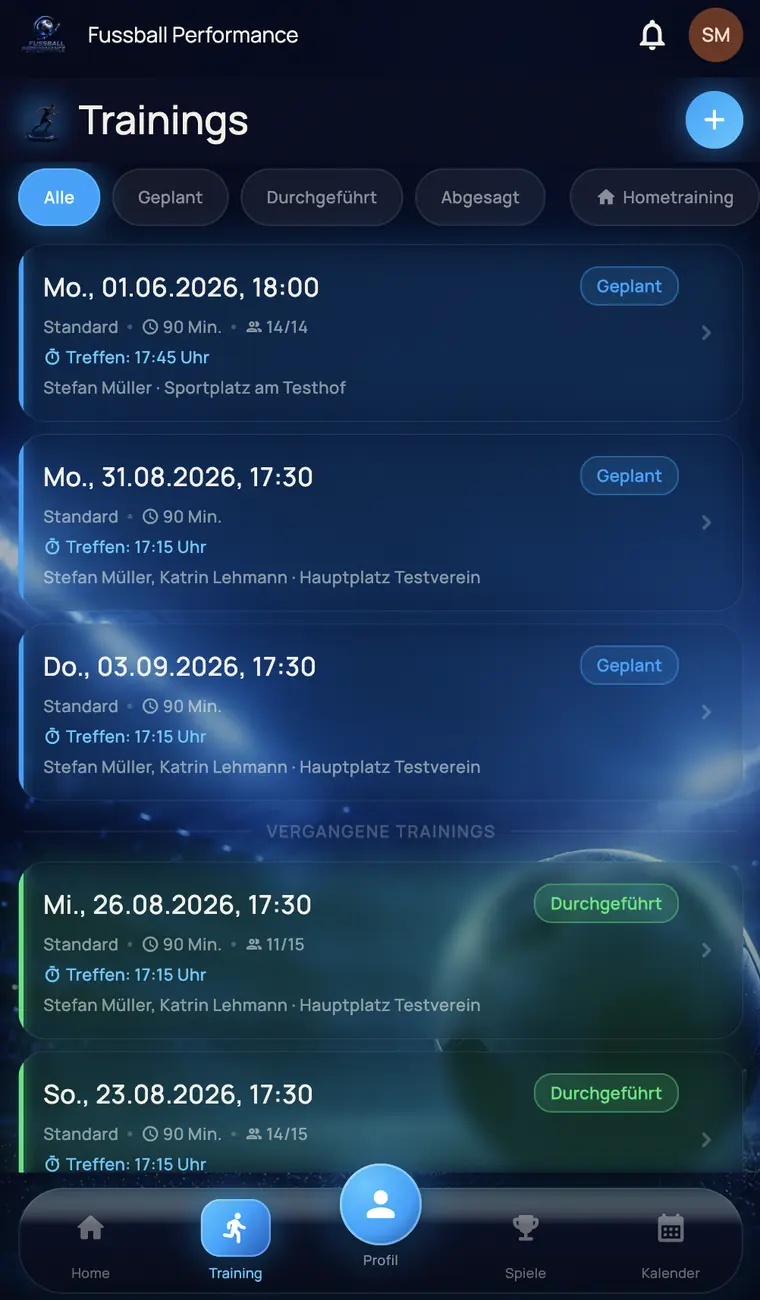
Training overview of the app with planned and completed sessions and the number of attendees
Friday, 17:31 · Sports ground

Attendance at the warm-up

A tap instead of a slip of paper. Who is there, who is missing and who has cancelled is already in the statistics after training.

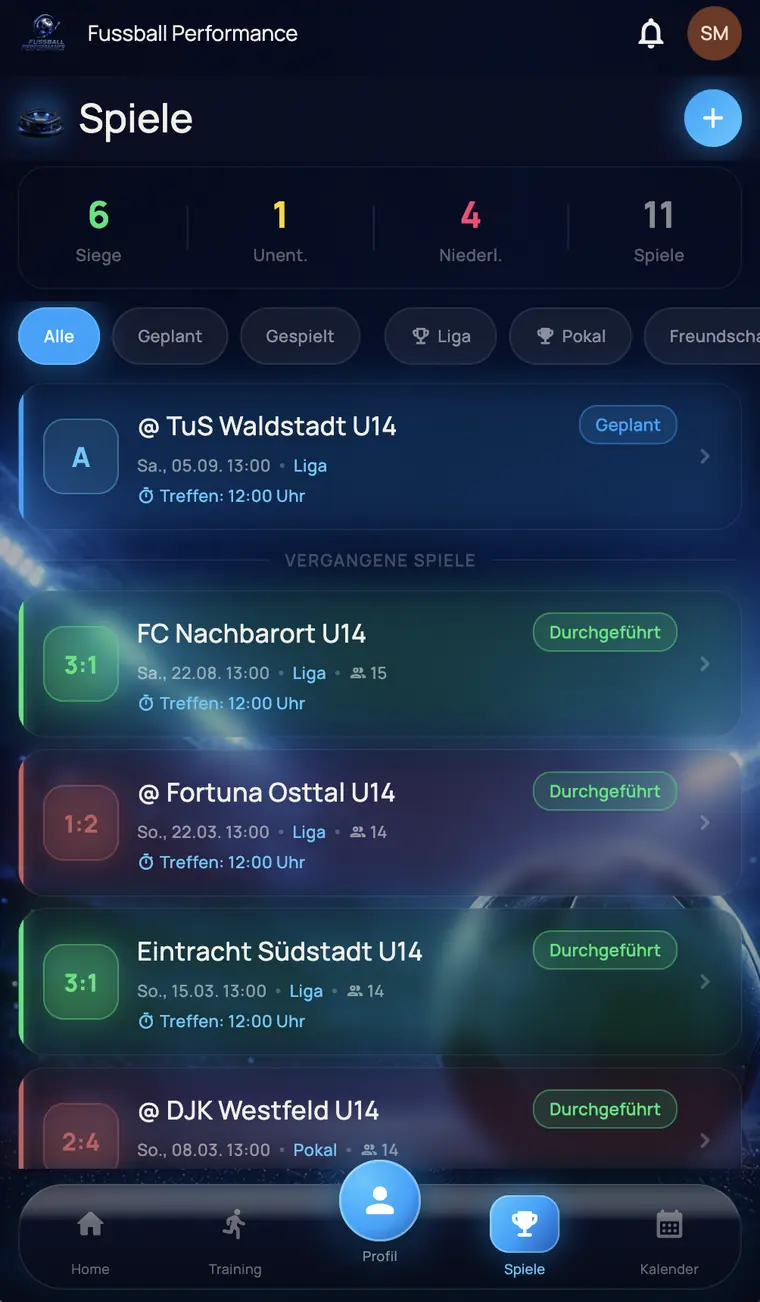
Match overview with record, the upcoming away match and past results
Saturday, 12:00 · Away trip

Meeting point, opponent, result

Kick-off, meeting point and venue on one screen. After the match you enter the result in the car park.

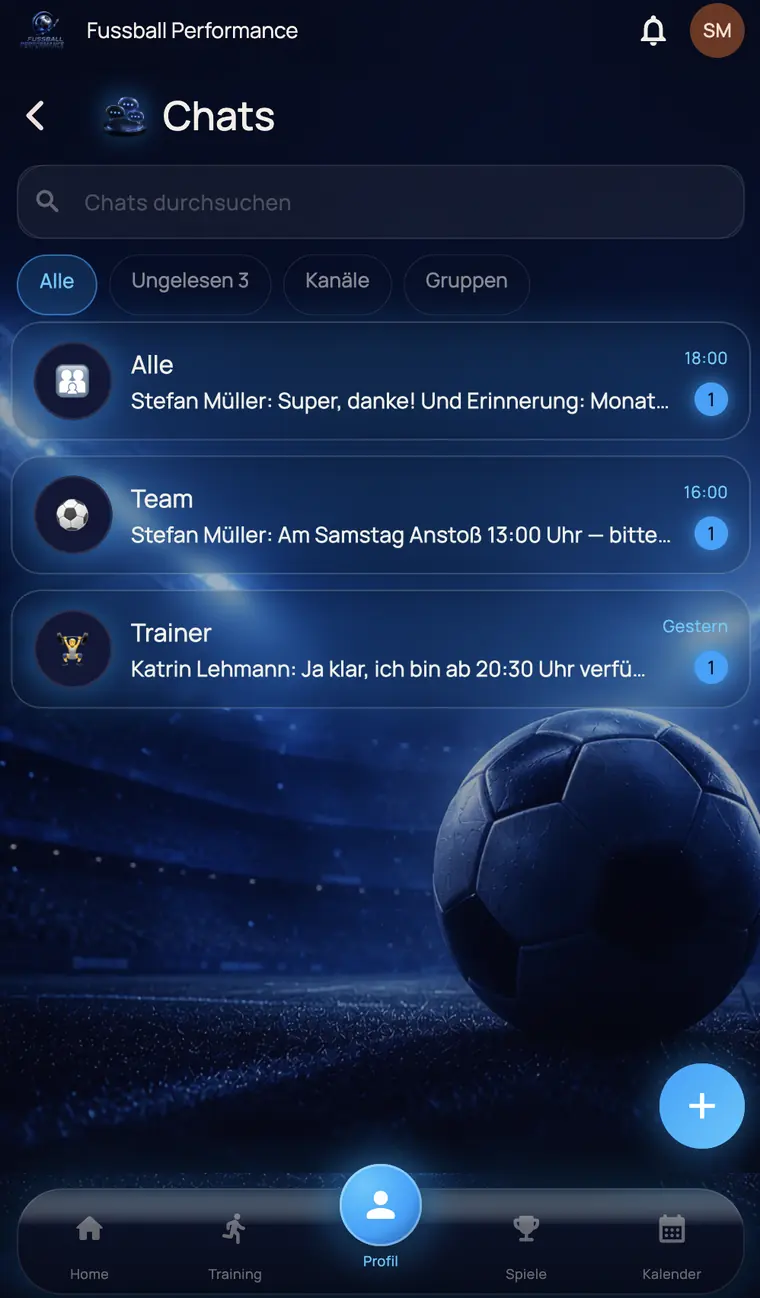
Chat overview of the app with the channels All, Team and Coaches
Saturday, 15:40 · Journey home

One message instead of three groups

Separate channels for the team, parents and coaching staff. Nobody reads along who it does not concern.

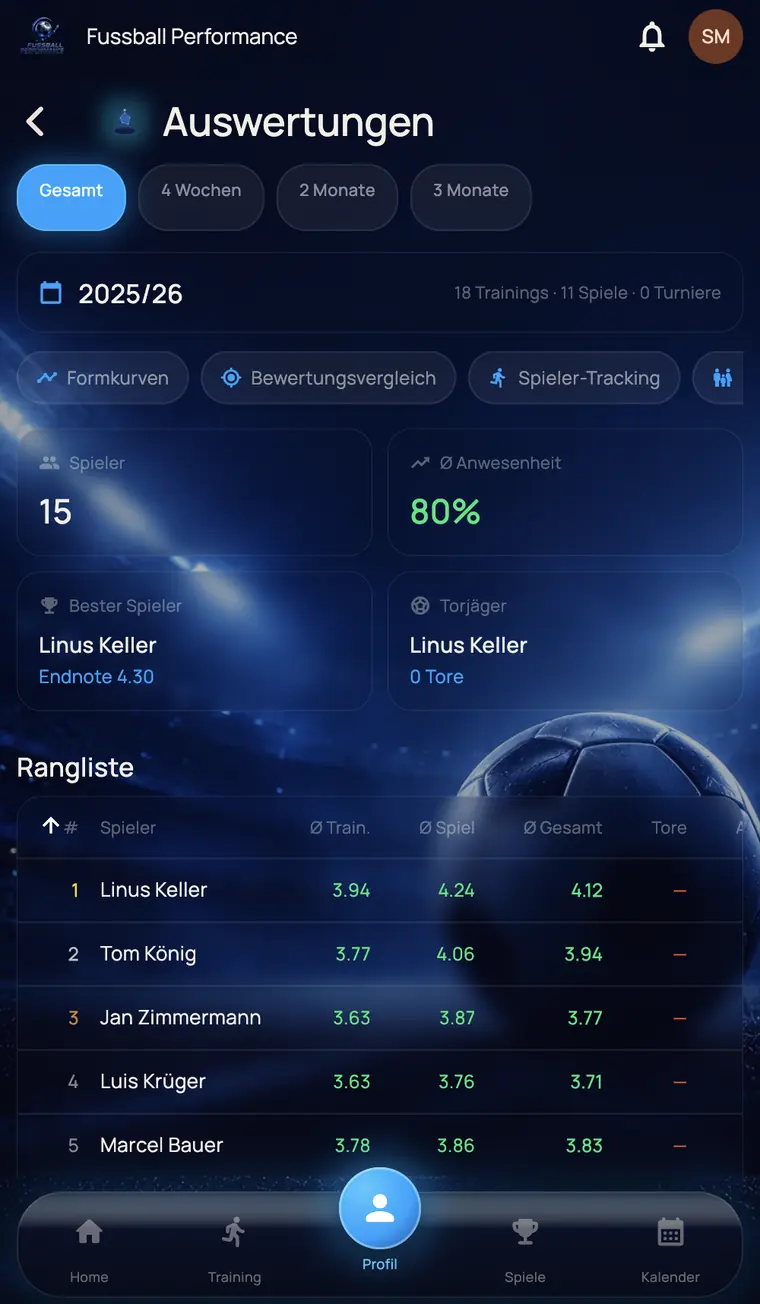
Reports with attendance rate, best player and a ranking by training and match rating
Sunday, 09:20 · Kitchen

Who has developed

Form curves and ranking over the season. The basis for Tuesday's conversation, rather than a gut feeling.

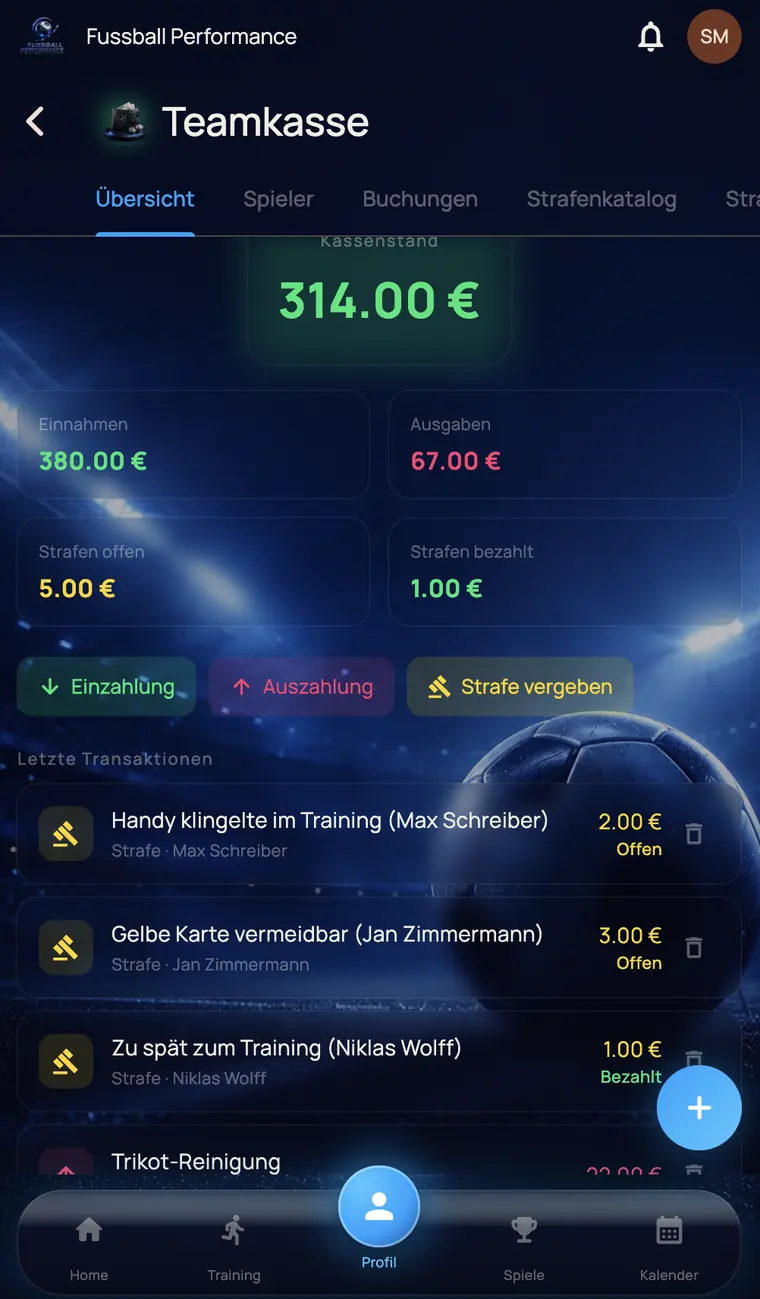
Team kitty with balance, income, expenses and the latest transactions
Monday, 07:50 · Bus

A kitty without a shoebox

Balance, outstanding contributions, list of fines. Who has paid and who has not is there in black and white.

Three rolesPage 4

Three people, three home screens.

Everyone sees only what concerns them. That is not a matter of settings but built into the app: parents see only their own child.

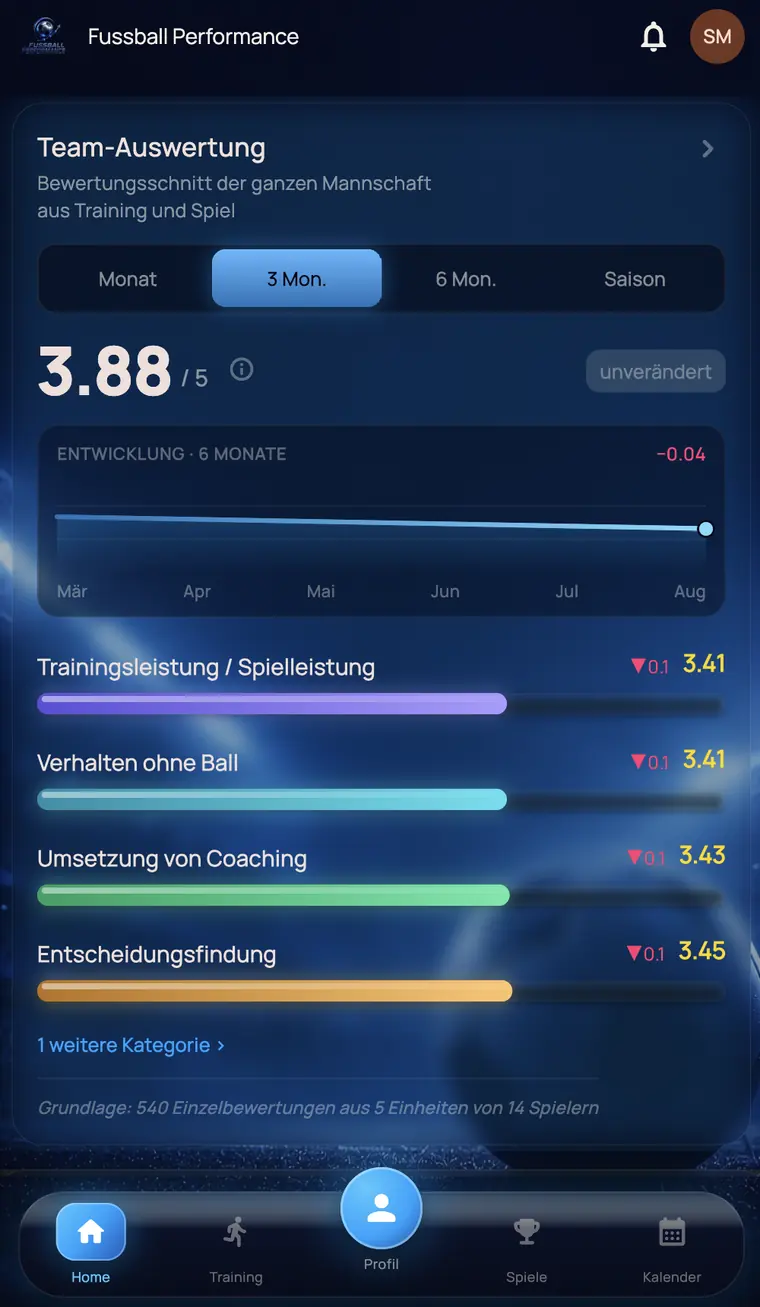
Team report for the coach with average rating and development per category

Coach

The team average, the development per category and a note on what the figure is based on. Plus squad, fixtures, kitty and chat.

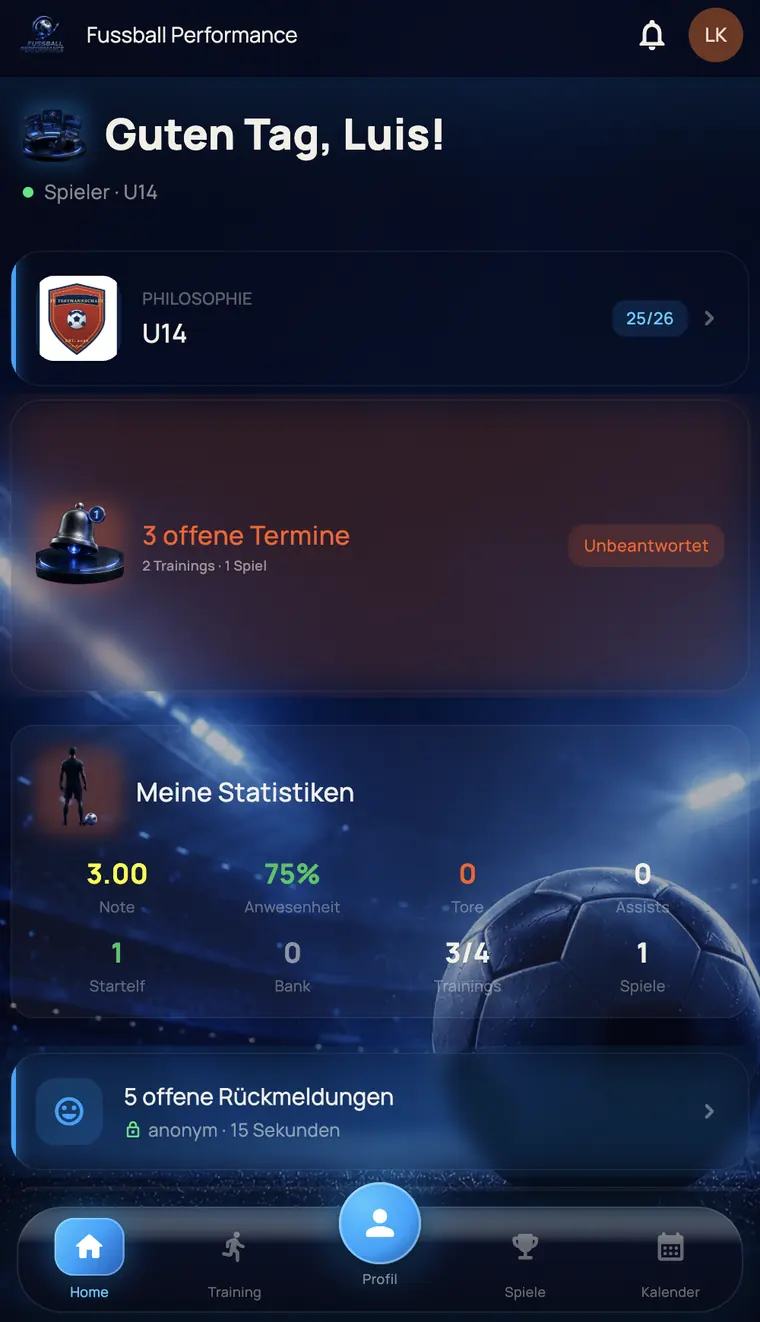
Home screen of a player with open fixtures and their own statistics

Player

Open availability replies, their own rating, attendance and appearances. Other players' ratings stay invisible.

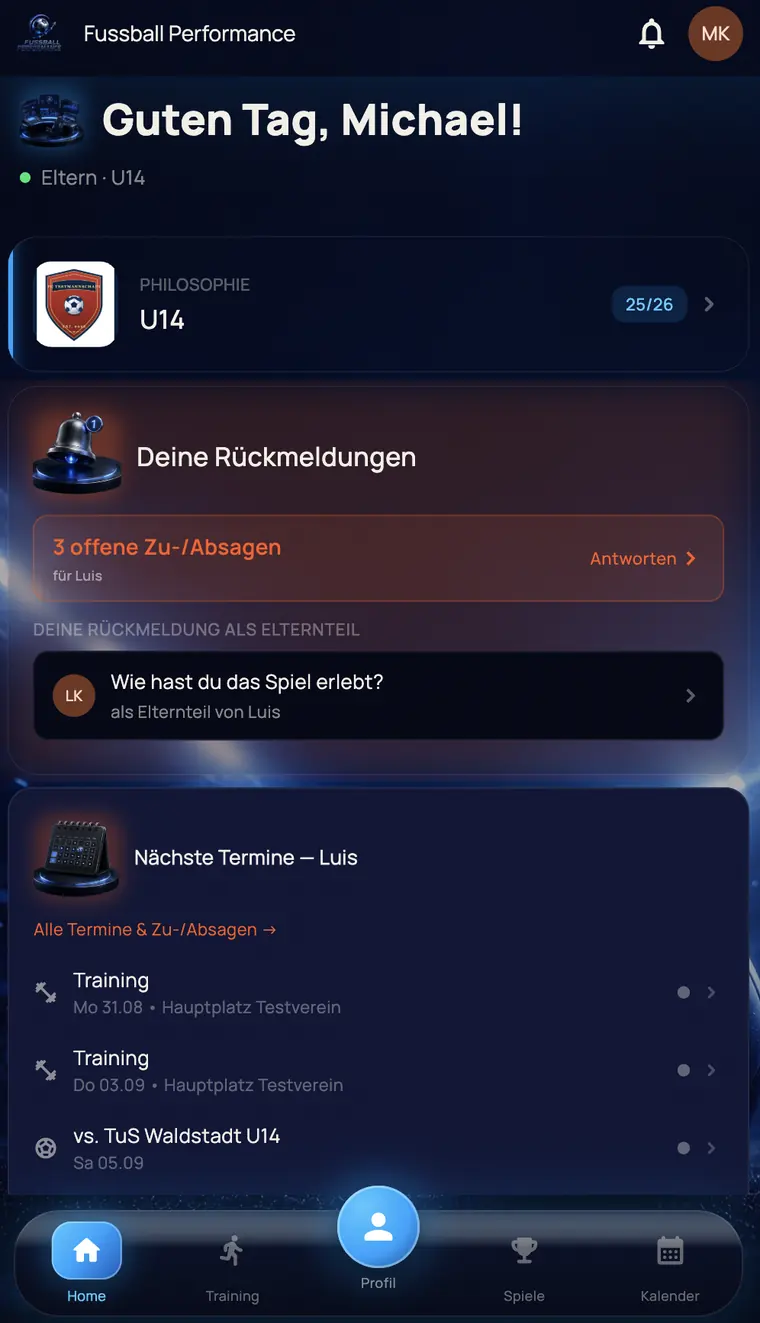
Home screen of a parent with open replies and the child's next fixtures

Parents

Their own child's next fixtures, availability replies, carpools and their own feedback after the match.

A fourteen-year-old does not compare this with club software.

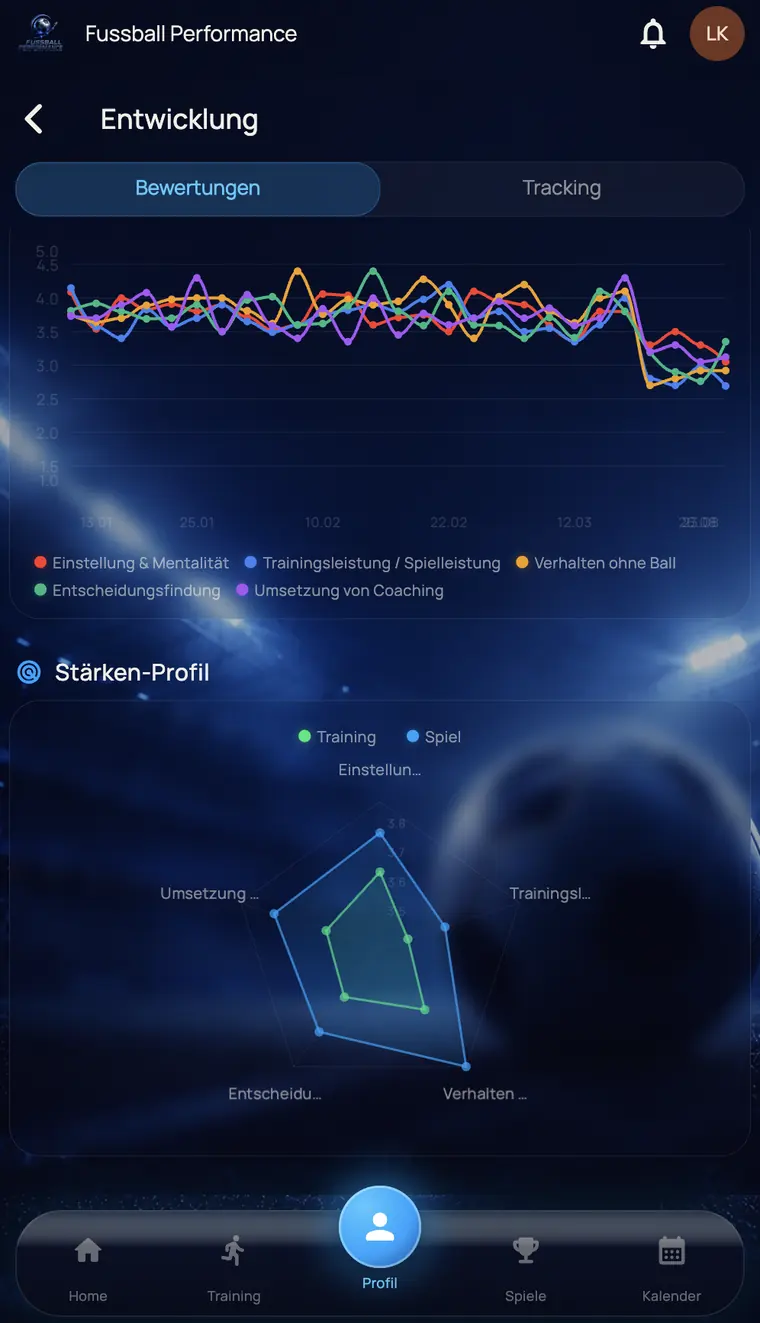
They compare it with whatever else is on their home screen. So we built it that way: dark, animated, with curves and a strengths radar that people open voluntarily.

This is not for show. A rating only works if the player looks at it. A cancellation only comes in if cancelling is easy. Everything that looks good in this app therefore gets used.

Development view of a player with rating history per criterion and strengths radar
Browser or storePage 5

What the difference is.

The browser version is simply a website you open by its address. You can place it on your home screen, where it looks like an app. No download needed. The native app, on the other hand, you get from the App Store or Google Play. Here is what that means in everyday use.

Setting up and staying up to date

BrowserOpen the address, log in, done. You automatically always have the latest version.

AppDownload it once from the store. After that it sits among your other apps, and updates arrive through the store as usual.

Reminders on your phone

BrowserThey work, but on the iPhone only if the page has first been placed on the home screen. You have to know that and do it.

AppThey arrive like in any other app. The player gets their reminder about the open availability reply, without anyone having to set anything up.

Speed

BrowserDepends on the browser and the connection. Each view is loaded when you open it.

AppStarts straight in the view you were last in. Lists and curves run smoothly because they are drawn on the device.

Poor reception

BrowserWithout a connection, there is not much you can do. At a village sports ground or in the changing room that is a real issue.

AppSquad, fixtures and line-up are saved on the phone beforehand and stay readable. What you enter without a signal is remembered and sent automatically as soon as there is reception again.

One-handed use

BrowserClick and tap as on a computer. It works on a phone, but is designed for mouse and keyboard.

AppSwipe, hold, pull down to refresh. Usable at the side of the pitch, with gloves on and a ball under your arm.

Large overviews

BrowserHere the browser is clearly ahead: line-up editor, full rankings, season planning. Everything that needs space.

AppShows the short version of these. We did not squeeze the big tables down to phone size, but built for the phone what counts at the pitch.

You do not have to choose. Both belong to the same login and cost nothing extra. Most people will plan on a computer and use the app at the pitch. If you do not want another icon on your phone, stay with the browser and you still have the full range of features. And if you do everything from your phone anyway, the app will get you through the whole week. Within a team, both ways can run side by side without anyone missing anything.

As of today

What the browser is still better for

  • Line-up editor with the whole pitch
  • Complete rankings and comparison tables
  • Club add-on across several teams
  • Season changeover, import and master data
Planned, not yet included

Still to come in the app

  • Widgets directly on the phone's home screen
  • Login by fingerprint or face recognition
Logging inPage 6

The app is here.

For the iPhone on the App Store, for Android on Google Play. Free and included in the team price. The data is the same as in the browser, so there is nothing to move.

QR code for the app on the App StoreiPhone: scan with the camera
QR code for the app on Google PlayAndroid: scan with the camera

How to log in.

Nobody needs a new account. In the app, the same login details apply as in the browser, plus the team code once.

  1. Download the app

    Search for “Fussball Performance” on the App Store or Google Play, or scan the QR code.

  2. Enter the team code

    Five characters, once per team. The app remembers it.

  3. Log in

    With the same email address and password as in the browser. Done.

Coach: You will find the team code in your welcome email and in the web app under Settings → Native app. There is also a ready-made message for your chat group.

Player: You get the team code and login details from your coach. If you already log in via the browser, just use the same details.

Parents: You log in with the parent login the coach has set up for you, and see the same in the app as in the browser.

Questions about the appPage 7

Frequently asked questions about the app.

How do I log in to the app?

Download the app, enter the 5-digit team code and log in with the same email address and password as in the browser. The coach finds the team code in the web app under Settings → Native app and passes it on to players and parents.

Does the native app cost extra?

No. The app is included in the team price, just like using it in the browser. There is no app surcharge and no in-app purchases.

Do I have to move my data if I use the app?

No. The app and the browser use the same login and the same data. What was entered in the browser appears in the app, and vice versa. There is nothing to export or transfer.

Do players and parents have to install the app?

No. Anyone who does not want to install the app can keep using the platform in the browser with the full range of features. The app is an additional way to use it on the move, not a requirement for taking part.

Is the app available for iPhone and Android?

Yes. For the iPhone the app is available on the App Store, for Android on Google Play. Both are free and included in the team price.

What is the difference between the browser version and the native app?

The browser version runs on any device and can be placed on the home screen. It is especially suited to everything that needs screen space: season planning, squad management, the line-up editor and large evaluation tables. The native app is installed from the store and is designed for short paths at the side of the pitch: attendance, availability, rating after full time, chat and team kitty. Both belong to the same login and do not exclude each other.

Two screens. One team.

Plan in the browser, take the app to the pitch. Everything is already where it belongs.